Explore the latest Safari features in iOS 27 that streamline browsing, from price alerts to custom extensions, enhancing usability for power users.

With the release of iOS 27, Apple has introduced several enhancements to Safari, focusing on automating common tasks that can consume your time. These updates promise to improve how users interact with web content, from tracking price drops to customizing their browsing experience.
Stay Informed with Price Alerts
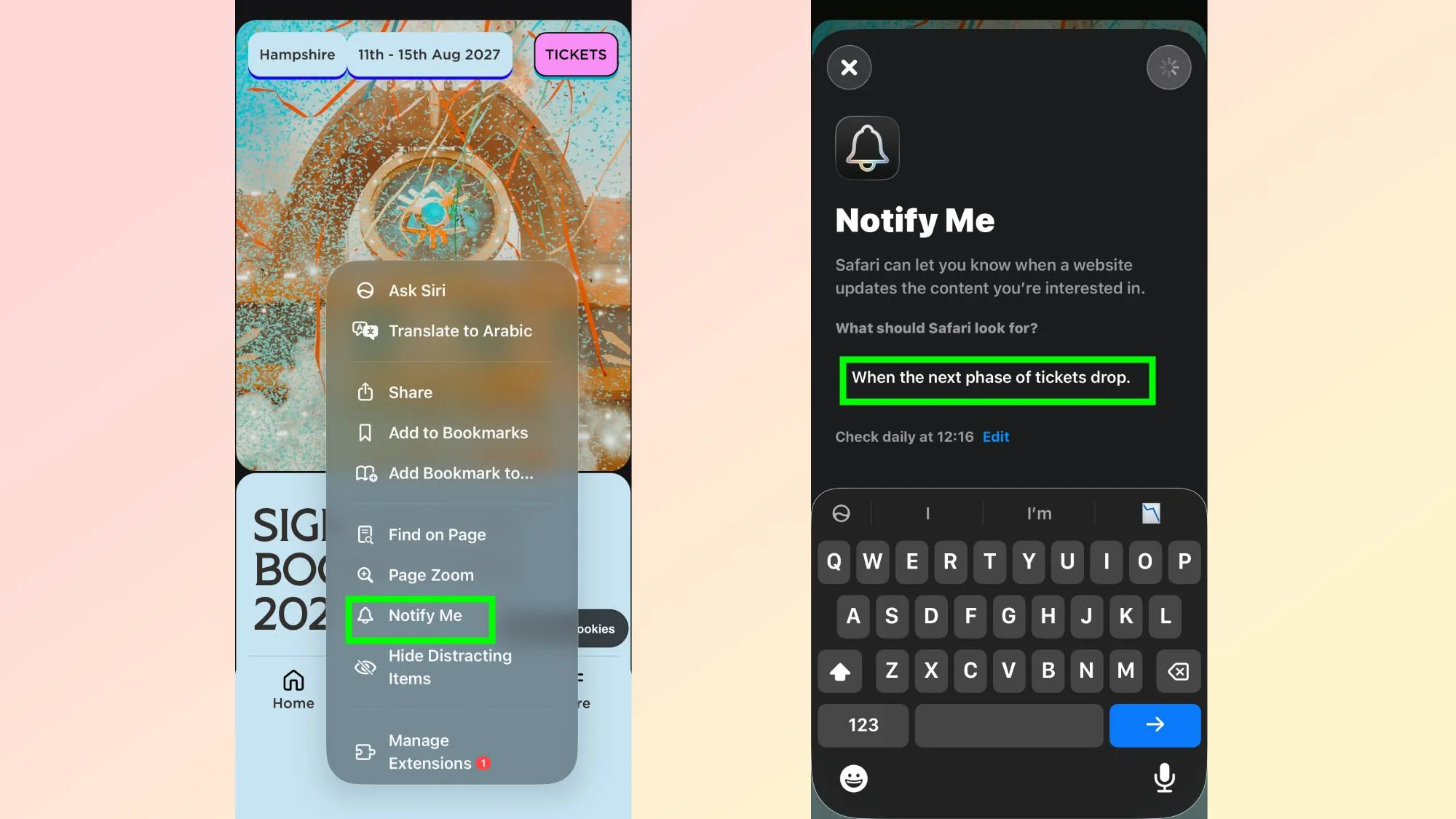
Gone are the days of manually checking e-commerce sites for price drops or ticket availability. Safari now allows you to set up alerts for specific web pages, notifying you when a change occurs. To activate this feature, simply navigate to the webpage you wish to monitor, tap the three-lined menu icon, and select the "Notify Me" option. You can specify the change you are looking for, such as a price reduction, and determine how frequently Safari should check the site. This feature makes online shopping more efficient by ensuring you don't miss a deal.
By enabling price alerts, Safari taps directly into consumer behavior that many have grown to adapt over the years. The web is cluttered with numerous e-commerce platforms vying for user attention, and this feature offers a practical solution that echoes the needs of today's buyers who demand instant access to deals without the hassle of constant site-checking.
What this means for you is less time wasted on finding the best prices and more opportunities to grab them before they disappear. This move could also push competitors to enhance their own shopping experiences, reflecting a growing trend in integrating automated features in consumer services.
Create Customizable Extensions
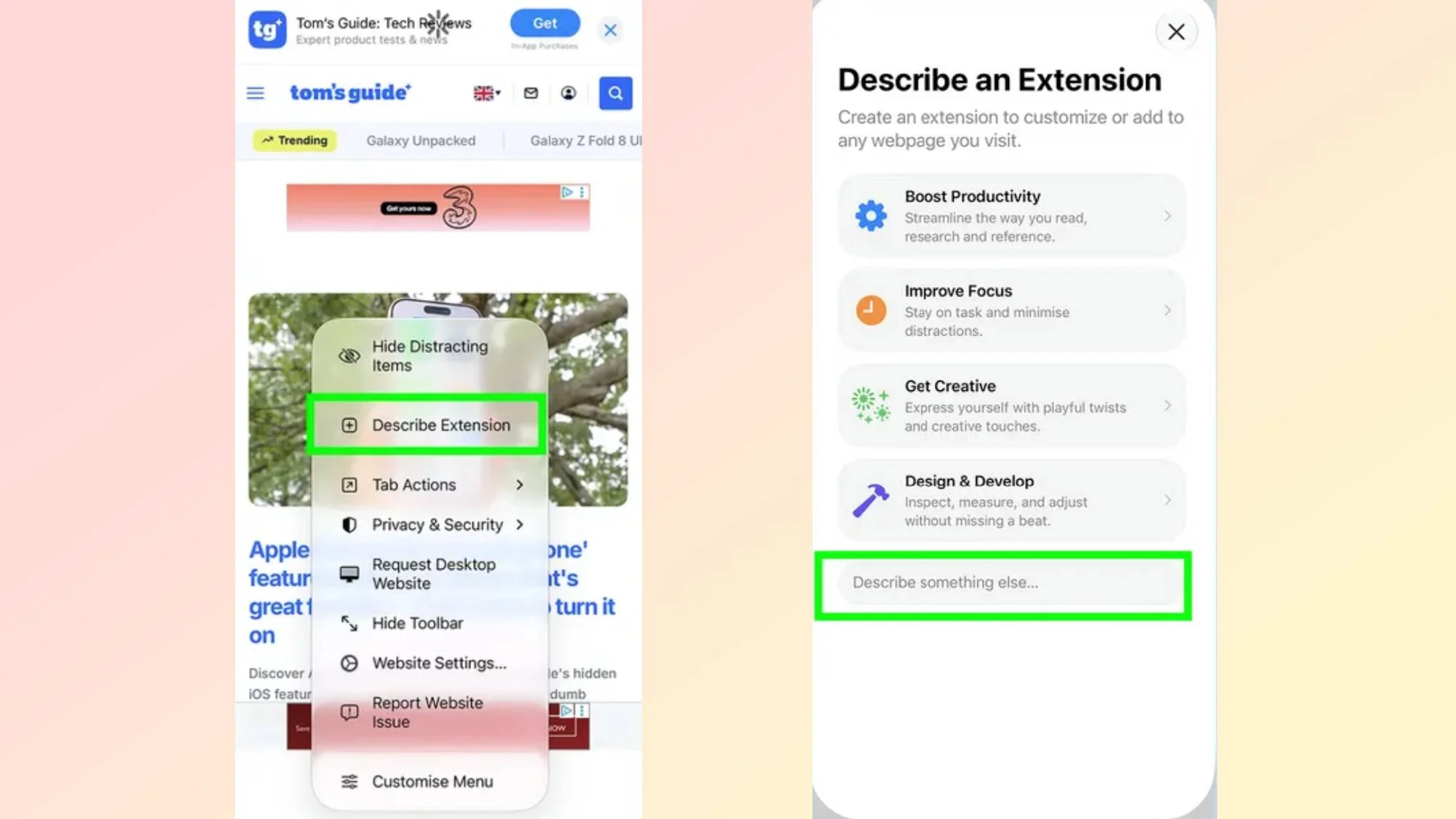
Safari’s latest update also simplifies the process of adding browser extensions. Instead of navigating through unreliable third-party sources, users can now create extensions directly within the browser. By using the "Describe an Extension" feature, you can articulate what functionality you want in plain language, allowing Safari to generate a custom extension for you. Whether you want a reading time estimate or to block specific distractions, this feature adds personalization to your browsing experience, while Safari also suggests ready-made options for quick access.
This customization is a significant shift from how browser extensions have typically functioned. Traditionally, users were often at the mercy of developers creating extensions that may not always align with their individual needs. Now, you won't just be limited to pre-existing options. You can articulate your desires and have Safari assist in crafting a solution tailored to your unique browsing patterns. Yet, is this feature as intuitive as Apple markets it? That remains to be seen as user experimentation with the feature settles in.
Beyond convenience, this approach to customization could lead to a more engaged user base. If you're working in this space, you'll recognize the potential engagement footing that Apple is creating by lowering barriers for average users to enhance their browsing experience without technical knowledge. And yet, the success of this feature will depend on how effectively it serves users’ actual needs. We'll have to wait and see how users respond to it in the long run.
Efficient Tab Management
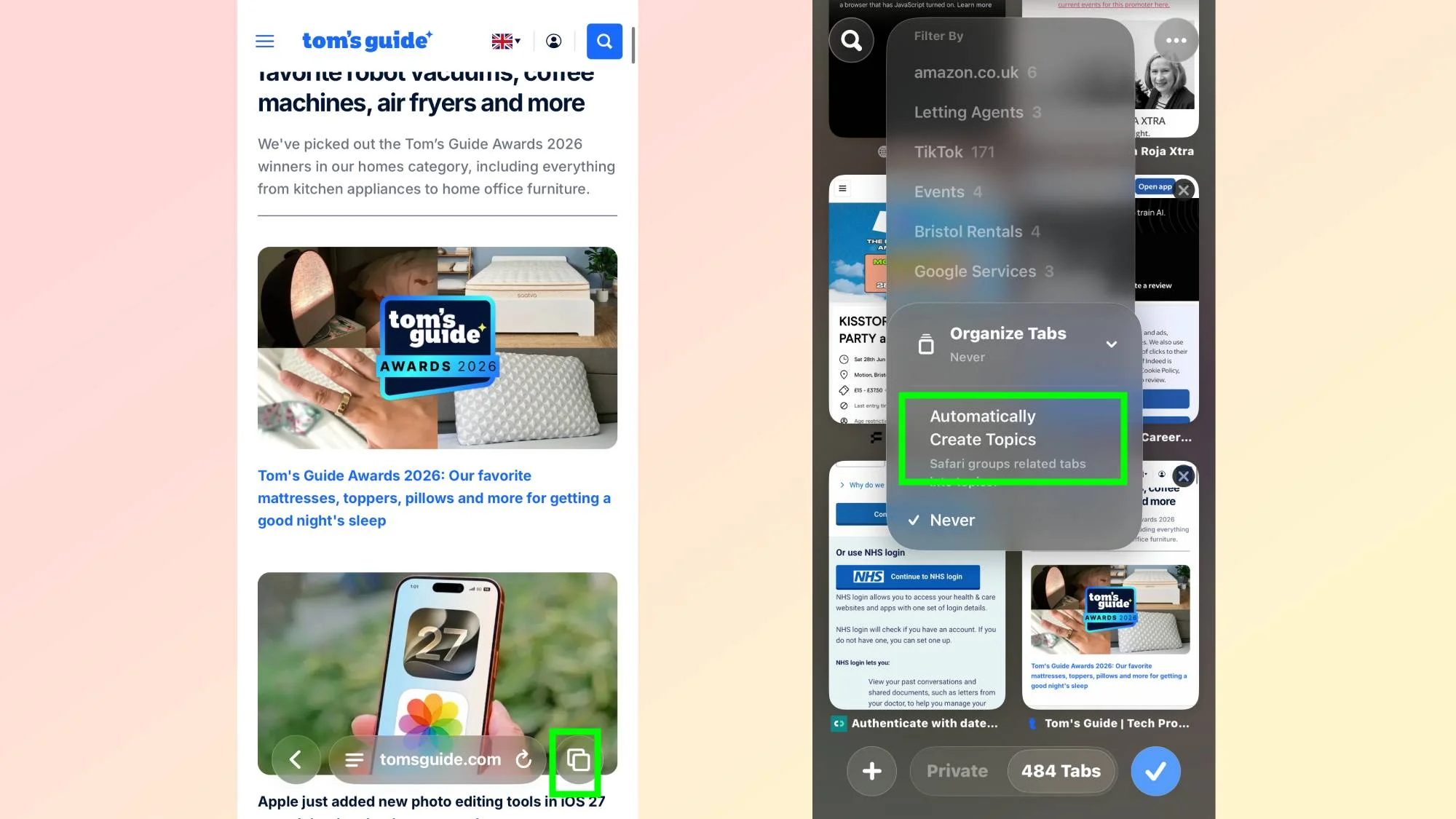
If you frequently find yourself overwhelmed by countless open tabs, the new tab organization feature is a welcome addition. By tapping the overlapping squares icon to view your tabs, you can access the "Organize Tabs" option and select "Automatically create topics." Safari employs machine learning to categorize your tabs into groups, making navigation far simpler and less chaotic. This feature helps maintain focus and boosts productivity when navigating the web.
A common pain point for web users is the relentless clutter of tabs that can quickly devolve into chaos. The machine learning behind Safari's organization is a step towards resolving this frequent headache. It allows the tab management system to adapt according to user behavior. Harnessing machine learning may not only simplify organization but also introduces a layer of smart interaction with the browser. Can we finally focus on what truly matters online? Perhaps. Or it might just be another feature that doesn't live up to expectations under real-world conditions.
As we observe its integration into daily workflows, it will be interesting to see how well it learns and categorizes user habits over time. If Apple can get this right, they might just redefine the way users manage their online tasks—can you imagine saying goodbye to tab overwhelm? Well, that could become a reality.
The Bigger Picture
The implications of these updates for Safari and Apple's broader software ecosystem can't be understated. By focusing on automation and customization, Apple appears to be carving out a niche that prioritizes user efficiency. The enhancements in iOS 27 are aimed not only at improving the browsing experience but also at keeping users engaged with Apple's hardware, fostering loyalty that extends beyond simple product sales.
These features are likely to appeal to a demographic that's grown increasingly accustomed to tailored experiences across various platforms. If you're involved in tech product design or user experience, you’ll want to watch how these changes resonate with users. Will they drive up engagement and usage among Safari users? Will competitors feel the pressure to innovate similarly? Only time will tell.
Ultimately, while these features certainly hold promise, their actual success hinges on execution. Apple has always marketed its products with lofty ideals, but the real test comes when users start to incorporate these developments into their daily routines. They might transform the way we interact with the web—if they deliver.



Discussion
Sign in to join the discussion.