Delta Lake UniForm, Unity Catalog and private connectivity can give Snowflake read access to Databricks data without a nightly export.

The format boundary
Teams that need Snowflake to query data managed in Databricks run into a problem that sits below the level of ordinary database connectivity. Delta Lake and Apache Iceberg each describe table data through metadata: information about files, schemas and changes that tells a query engine how to interpret what’s stored. Their models differ, so a platform’s ability to reach the underlying storage doesn’t automatically mean it can correctly read the other platform’s tables.
Delta Lake is native to Databricks, while Snowflake has strong native support for Iceberg. That makes the format boundary a practical obstacle for organizations that want Snowflake users to work with data managed in Databricks. The files may be available, but the table definition and history still need to make sense to the engine doing the query.
This distinction is easy to miss when teams discuss access as if it were only a matter of permissions or network reachability. Those are necessary pieces, but they don’t translate one table format into another. A reader also needs compatible metadata that describes which files belong to the table and how to interpret them. Without that bridge, access to storage alone doesn’t solve the interoperability problem.
Why the formats matter
A Delta table isn’t directly readable by Snowflake, and Databricks doesn’t treat an Iceberg table written by another engine as Delta. For teams assigning Snowflake read access to data managed in Databricks, the format boundary is the core problem to solve. The issue isn’t that one format is inherently unusable; each serves as a way for engines to understand table data, but they don’t share an identical metadata model.
Delta Lake and Apache Iceberg are both open table formats, but their metadata models differ. That distinction shapes the integration: cross-platform access depends on bridging those formats while preserving a single underlying dataset. “Open” describes an important property of the formats, but it doesn’t mean every engine can interpret every table without additional coordination.
Table metadata is part of the data contract between storage and the software reading it. It can describe the schema and the relationship between a table and its files; change history also matters when the system needs to understand how the table has evolved. If two engines rely on different ways of recording that information, each may see the same storage while disagreeing about what constitutes the table.
That’s why a format bridge has to do more than make files visible. It needs to expose a representation the consuming platform understands, while keeping the managed data coherent for the platform that owns it. The details matter: a setup that works for a basic read may still need careful handling as schemas and table state change. The source describes the goal as cross-platform access, but the operational quality depends on how the components behave together.
What the integration is meant to do
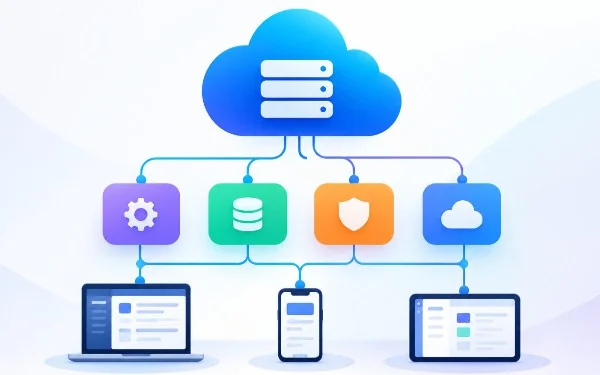
Delta Lake UniForm, Unity Catalog and private connectivity can connect the pieces. In broad terms, UniForm provides the format bridge, Unity Catalog supplies a way to manage and expose governed data, and private connectivity addresses the network path between services. Together, these components can make it possible for Snowflake to query Databricks-managed data without creating a second copy or relying on a nightly export job.
That architecture addresses a familiar trade-off in data platforms. Copying data can make it easier for a separate system to consume, but it also creates another dataset to track and keep current. Scheduled exports add a delay between changes in the source and the version available to readers. Avoiding those steps can reduce duplication and make access less dependent on a separate transfer process.
There’s a catch: “without a second copy” doesn’t mean “without operational work.” Teams still need to configure the catalog, access permissions, network connectivity and format support so each part agrees about how the data is exposed. If one link is missing, the intended path may not work end to end. Here’s the thing: the integration’s value depends on the handoff between components, not on any single feature in isolation.
Private connectivity is part of that handoff because the query path needs to reach the relevant service. Network setup and table-format compatibility solve different problems, though. A private connection can provide a route between systems; it can’t, by itself, make Snowflake understand Delta metadata. Likewise, a format bridge doesn’t grant access or establish the network path. The components have distinct jobs.
The deployment gap
The source’s central point is less about announcing a new capability than about documenting how existing capabilities fit together. Each feature may be described on its own, yet a team planning a deployment needs to know how the pieces interact from catalog configuration through query access. A collection of individually documented features can leave a meaningful gap if the working sequence across them isn’t explained clearly.
This is more significant than it looks. Cross-platform data access often fails at the seams: a catalog entry may exist, the network may be reachable, and the table may still not appear as expected to the reader. The article identifies an end-to-end deployment path as less often documented than the separate features. That leaves practitioners to validate integration details that may not be obvious from descriptions of each component.
(and this is the part most people overlook) The goal isn’t simply to make a table queryable once. Teams need to understand who manages its metadata, how readers discover it, and what happens as the table changes. A path that works in a narrow example may not answer those operational questions. Clear deployment guidance helps distinguish a supported design from a set of components that merely sound compatible.
For teams evaluating the approach, the practical questions are specific: can Snowflake discover the intended tables, do the metadata and schema appear as expected, and can authorized users reach them through the configured private connection? They’ll also need to consider how changes to the table are reflected across the systems. The source doesn’t describe those procedures in detail, so the exact implementation still needs to be established for the environment in question.
Implications for data teams
If you're working in this space, treat the integration as an architecture to validate end to end. Confirm that the format bridge, catalog configuration and private network path each do their intended job, then check that Snowflake can query the data in the way your users need. A successful connection test alone won’t establish that the table metadata is being interpreted correctly.
The case also illustrates a broader point about open table formats: shared access depends on more than shared files. Metadata conventions, catalog behavior and engine support all affect whether different platforms can work with one dataset. That’s the practical work behind interoperability.
For organizations trying to avoid duplicate storage and scheduled exports, the described combination offers a route worth examining. Its appeal is straightforward, but the quality of the result will depend on deployment details and ongoing operation. Less copying. Fewer handoffs through export jobs. And a need to verify that the table remains understandable to both sides.
That said, the source establishes possibility, not a universal recipe. It doesn’t specify every configuration step or describe how every table feature behaves across the platforms. Teams should read the integration as a pattern whose parts need to be assembled and checked in their own setting. The promise is a single underlying dataset accessible across systems; the work is making that promise hold in practice.


Discussion
Sign in to join the discussion.