Databricks and Snowflake can access each other’s tables through shared ADLS files and catalog metadata, avoiding duplicate data copies.

Databricks and Snowflake can share access to tables while keeping one copy of the underlying data in Azure Data Lake Storage (ADLS). The approach pairs shared object storage with catalog APIs, so platforms exchange table metadata rather than duplicate Parquet files. That distinction matters: a table is more than a collection of files. It also depends on information about its structure, organization, and current state, which tells a system how to interpret the stored data. Sharing the files without sharing a reliable description of them wouldn’t be enough.
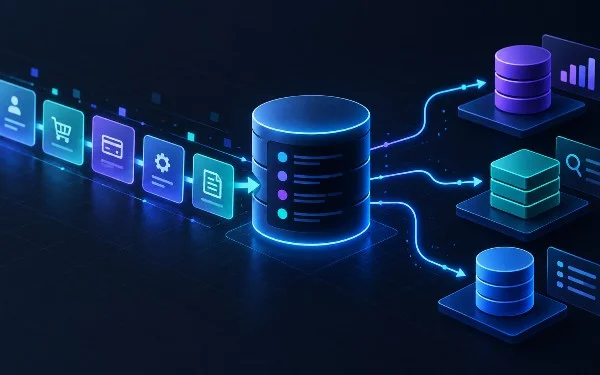
The design separates storage from the services that manage and query data. ADLS holds the underlying objects, while each platform uses catalog interfaces to discover tables and interpret their metadata. This can reduce the need to copy data between environments, but it doesn’t make the platforms identical or erase the work required to connect them. Each still has to recognize the other’s table representation and handle its metadata correctly. A shared set of files, with a translation layer between systems.
Two-way table access
Databricks stores data in Delta or Delta Uniform, which Snowflake can read through catalog integration. In the other direction, Databricks can access Snowflake-managed Iceberg tables through catalog federation. This interoperability lets each platform work with data owned by the other without moving it. The practical tradeoff centers on how each system exposes table metadata and supports open formats.
Those directions are related, but they’re not simply mirror images. Delta, Delta Uniform, and Iceberg are table formats and representations with their own metadata conventions. Catalog integration and federation provide ways for a platform to locate and interpret tables managed through another system. The precise behavior depends on that connection and on the capabilities each side supports. “Access” therefore describes a technical path, not a guarantee that every feature will work the same way across both platforms.
That distinction is easy to miss. A query engine needs to know which files belong to a table and how to read them consistently; metadata helps provide that map. When systems share data through catalogs, they’re coordinating around that map instead of creating a second set of data files for the other platform. If you're working in this space, the useful question isn’t only whether a table appears in both systems. It’s whether the catalog connection presents the table’s current state in a form each system can use.
Why keeping one copy matters
Copying data between platforms can create operational work: teams may need to run transfer jobs, track when each copy was refreshed, and investigate differences when one copy lags behind another. A shared-storage arrangement can avoid some of that duplication because both systems work with data in ADLS. That’s a meaningful architectural benefit, especially when organizations want different tools to query the same underlying information.
But fewer copies don’t automatically mean fewer complications. The systems still need a consistent account of the table, and the organizations running them need to understand which platform manages which metadata. Changes to table contents or structure have to be visible through the relevant catalog path. If that coordination is incomplete, users can encounter stale or confusing views even though the files themselves remain in one place. The hard part shifts from moving bytes to maintaining a dependable description of what those bytes represent.
This is more significant than it looks, but the benefit is specific: interoperability can reduce data movement and make shared access possible. It doesn’t, by itself, settle questions about access controls, query performance, supported table operations, or how teams should manage changes. Those details depend on the implementations and configurations in use, and the source description doesn’t establish how they behave in every deployment.
Open formats and the metadata question
Open table formats aim to make data usable by more than one processing system. That goal depends on more than a format name. A platform must be able to read the relevant metadata and understand the operations that have been applied to a table. Catalog APIs are part of that exchange: they help systems find table definitions and related information without requiring the table’s files to be copied into a separate store for each platform.
There’s a practical reason to pay attention to the catalog layer. The catalog acts as a point of coordination between the storage location and the software that wants to query the data. When multiple platforms rely on catalog connections, teams need to know which catalog is authoritative for a given table and how updates become visible to other systems. (And this is the part most people overlook.) Shared files can simplify storage, while shared understanding of those files remains an integration responsibility.
That said, support for open formats can make systems more flexible. A company may want Databricks for one set of work and Snowflake for another, while avoiding a separate physical copy for each. The appeal is straightforward: let tools operate where they fit, while keeping the data in shared storage. The caveat is just as straightforward. Format compatibility and catalog behavior determine how much of that promise holds in day-to-day use.
What the arrangement means for teams
For data teams, the arrangement changes the design question from “Where should we copy this table?” to “How will each platform discover and interpret it?” That can influence choices about table formats, catalog ownership, and operational procedures. Teams will need to check which tables are available through each connection and which operations are supported. They’ll also need to decide how they’ll diagnose problems that arise at the boundary between a platform and a catalog.
There’s no need to assume that one system’s view of a table will match the other’s in every detail. The ability to read a table doesn’t establish that every write path, metadata update, or platform-specific feature is shared. Those are separate questions. A careful evaluation should distinguish basic read access from broader interoperability, rather than treating a successful connection as proof that the entire data workflow is interchangeable.
For organizations already using both platforms, this approach could offer a way to limit duplicated storage while preserving access through each system. Its value will depend on the tables involved, the catalog setup, and the work required to keep metadata understandable across platforms. The future outlook is less about a single universal data layer than about whether catalog APIs and open formats can make cross-platform access predictable enough for teams to rely on.
Here’s the thing: sharing one copy can simplify where data lives, but it doesn’t eliminate the need to govern how systems see it. The promise is less duplication. The test is whether each platform can consistently interpret the same table through the catalog mechanisms available to it.
Discussion
Sign in to join the discussion.